Now in private beta
Hand it off.
Get it back done.
steffi.ai runs AI agents that do real work in the background and bring back the result, with their models running on a machine you control.
Reconcile the September invoices against the bank export and flag anything still open.
That is the only thing Maya typed.
Running now on Office server
Finance agentWorking
Reconcile September invoices
Research agent
Weekly competitor digest
browser_extract_textVoice agent
Answering the business line
On a call, 1:44Scheduler
Board pack for October
Starts in 9:58
Task, Finance agent
Reconcile September invoices
1 min 18 s
- Routed 5 of 193 toolsemail_list, file_read, python_execute, http_request, file_write
- email_list412 msFound 48 September invoices
- file_read138 msseptember-bank-export.csv, 212 transactions
The web dashboard today. Apps for iPhone, iPad, Android, macOS, Windows and Linux are coming soon.
From one sentence to finished work.
The model reasons. Steffi decides what it may touch, what gets checked and what counts as done.
- 1
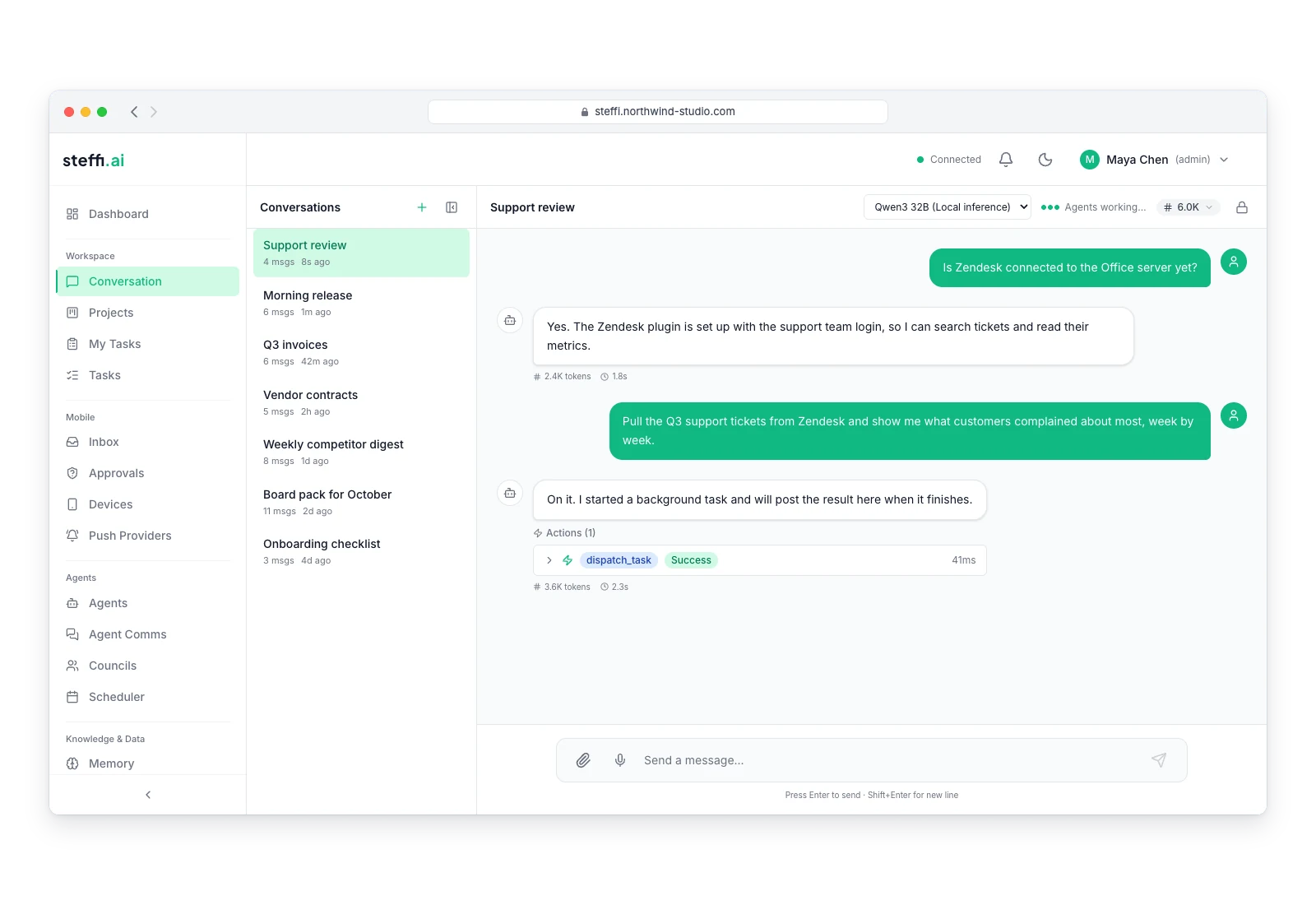
You ask
Type it, say it, or call. Real work becomes a background task.
- 2
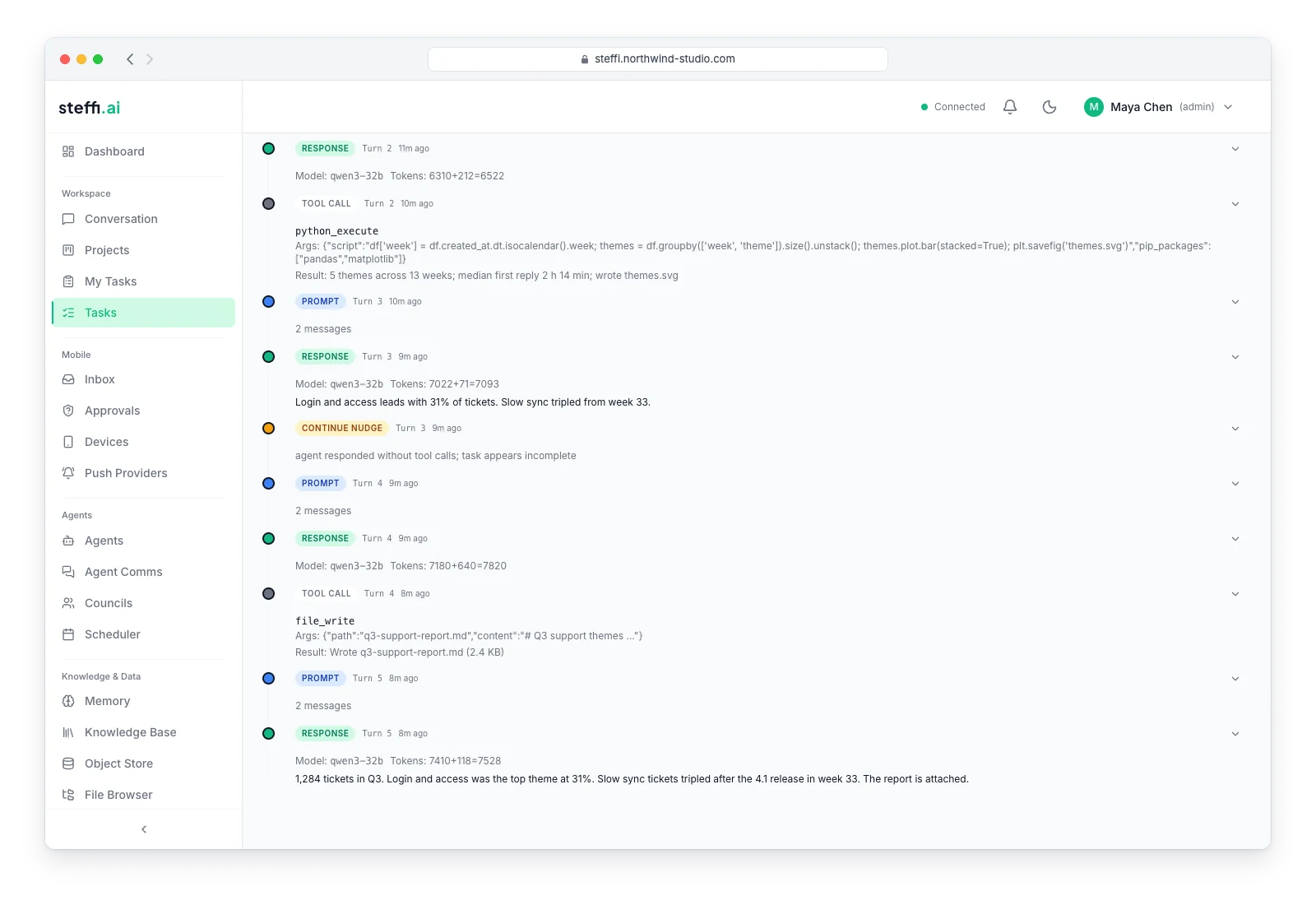
An agent works it
Each turn it sees only the tools that fit. Every call is checked and logged.
- 3
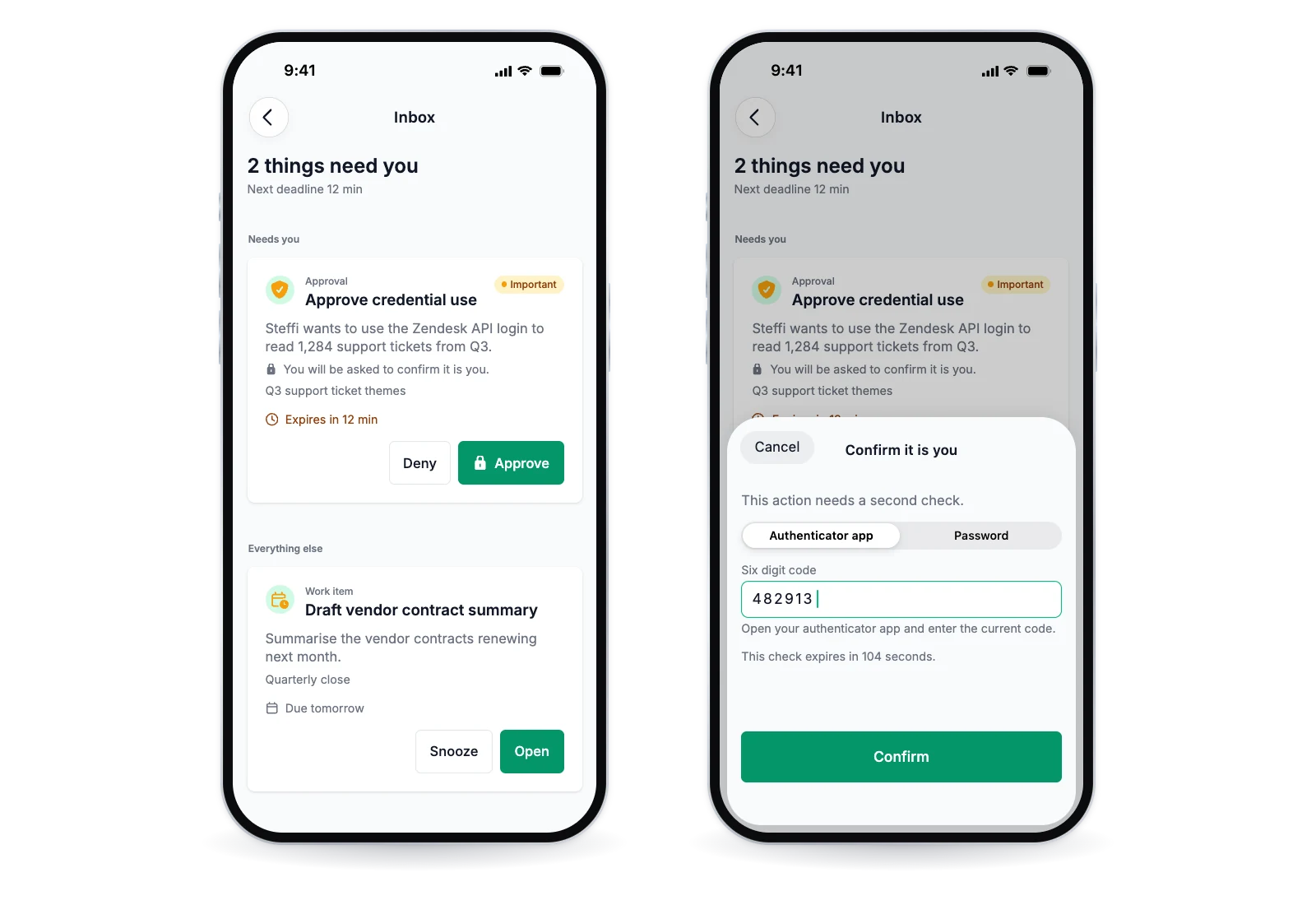
You decide what matters
Approvals reach your inbox on every device. Sensitive ones ask you to prove it is you.
- 4
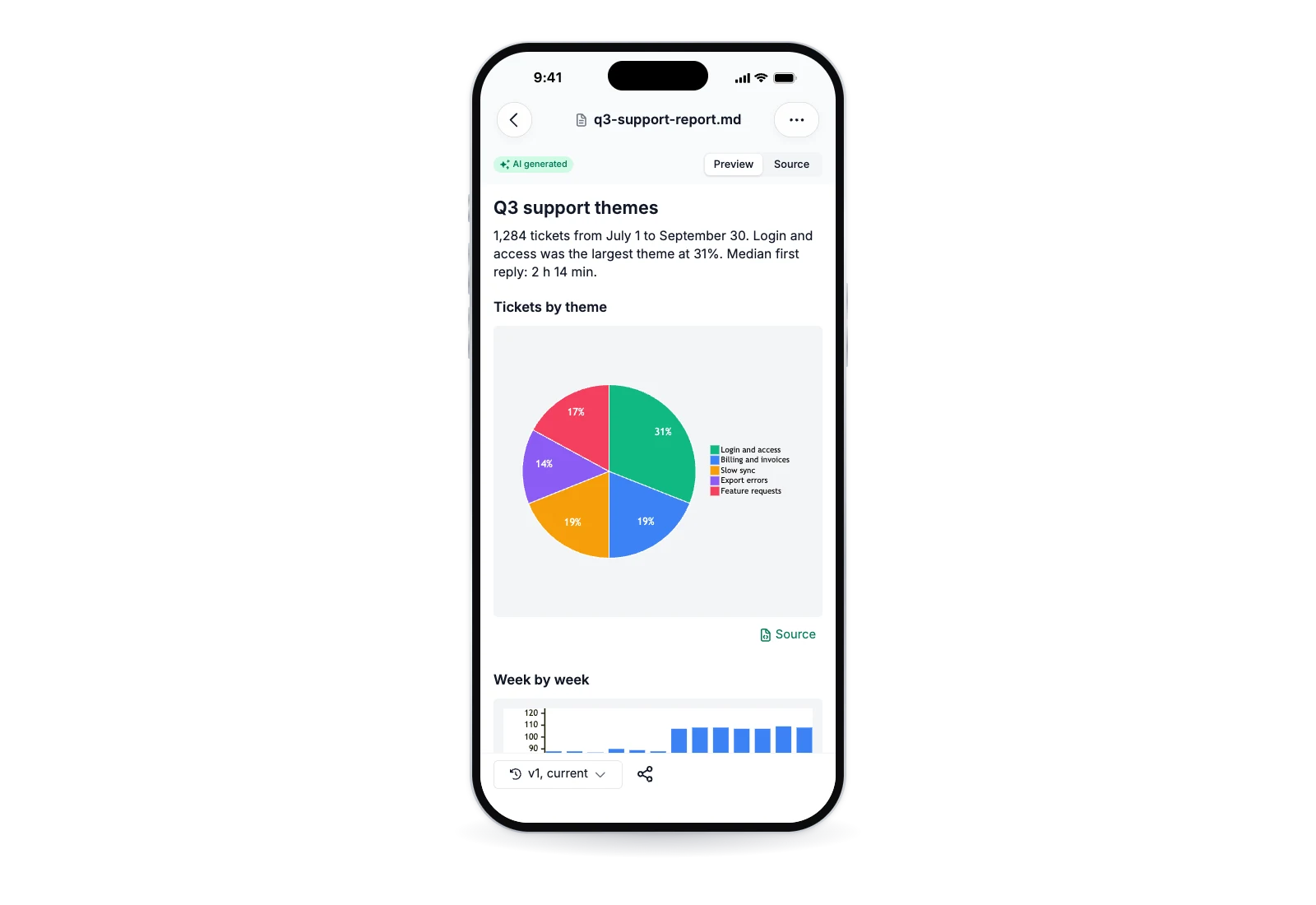
It comes back done
The result lands in the same conversation, with versioned files you can compare and restore.
Everything your agents need.
Browser, sandboxes, councils, scheduler, memory, knowledge, voice, governance and the apps, with the models running on the same machine.
Illustration. Olib AI does not make or sell hardware: Steffi runs on a machine you own, or on a dedicated server we host for you.
Your agents and their models, on one machine.
The language, speech and voice models run right next to Steffi, served by llminfra, which puts a model to sleep while it is idle. Your own hardware, or a dedicated server we host for you.
Language model
Reasons and writes
Speech to text
Hears you and your callers
Text to speech
Answers out loud
Steffi
Routes, checks and records
Prefer a different model? Connect Anthropic or any OpenAI-compatible endpoint.
The framework carries the model.
At every step, SMI, the Steffi Machine Interface, reads the task, the todos, memory and what just happened. It picks the next tools from the catalog, checks whether the last step really worked, chooses how to recover, and keeps the todos honest.
SMI is a decision model Olib AI trained from scratch for this one job. It runs inside Steffi on its own runtime, on GPU or CPU, and answers within a deadline. Every decision is recorded next to what the agent did, so it can be measured.
Research agent
Weekly competitor digest
What just happened
browser_navigate: acme.example/pricing returned 404
Todos
- Check competitor pages
- Summarise what changed
- Write the digest
Also read
The task, memory and the history so far.
The catalog, 193 tools
Picked 1
- browser_navigate
- browser_click
- browser_type
- browser_extract_text
- browser_observe
- browser_wait_for
- browser_session
- email_list
- email_get
- email_send
- file_read
- file_write
- file_list
- file_create
- python_execute
- python_list_files
- memory_query
- memory_store
- memory_update
- memory_search
- rag_query
- rag_ingest
- rag_get_section
- knowledge_retrieval
- http_request
- http_download
- zd_search_tickets
Next step
- browser_search
Did the last step really work?
Recovery
Skill
Memory
Looping or stalled?
A handful of tools, not hundreds
Each step gets at most five tools out of the whole catalog, so the model is never buried in options.
One skill, chosen in code
29 built-in skills. At most one is added to a message, so the model gets clear instructions, not a wall of them.
No proof, no claim
A validator sends unfinished answers back. If a result claims something the tools never did, it is downgraded.
The model writes, the platform decides
The platform carries the decisions and the checks, and the model writes the words. That is what lets a model on your own machine do serious work.
It keeps working after you log off.
The Monday report, the nightly reconciliation, the weekend inbox. In the morning the results are waiting, and so is anything that needs you.
- 19:45Board pack for OctoberFinished
- 00:00Nightly reconciliationFinished
- 03:30Weekly competitor digestFinished
- 06:30Vendor contract summaryNeeds you
Schedules that behave
Cron with time zones, intervals, webhooks and file watches. Missed runs are recovered the way you choose.
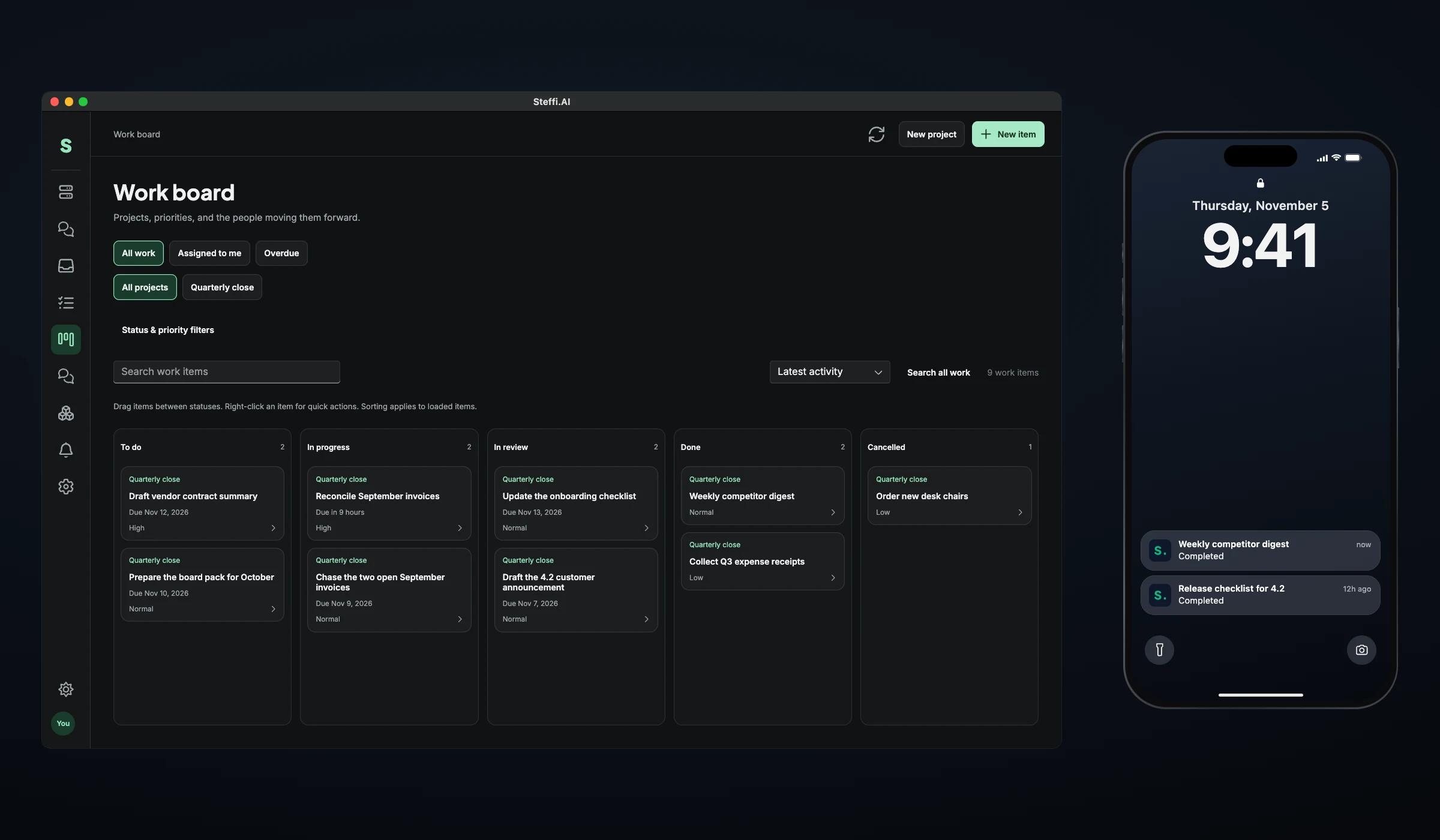
A board that updates itself
Assign items to people or agents. Agent work moves itself to review or done, with the files attached.
News comes to you
Results and questions reach you by push, email, Slack or Mattermost.
Every screen. One server. Yours.
Pair with a code or a QR code. Every device has its own credentials, revocable any time.

The web dashboard is available in the beta. The apps for iPhone, iPad, Android, macOS, Windows and Linux are coming soon.
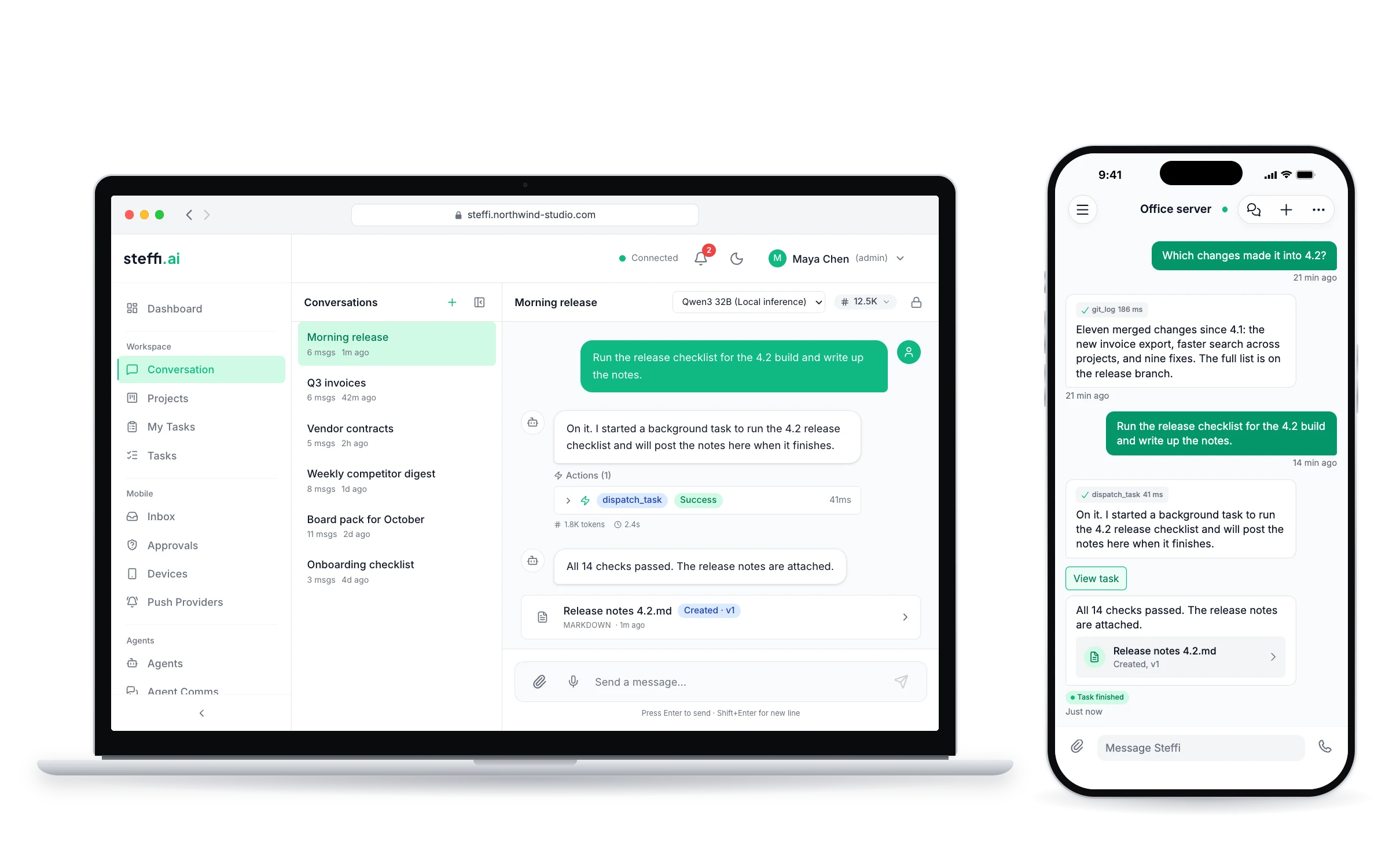
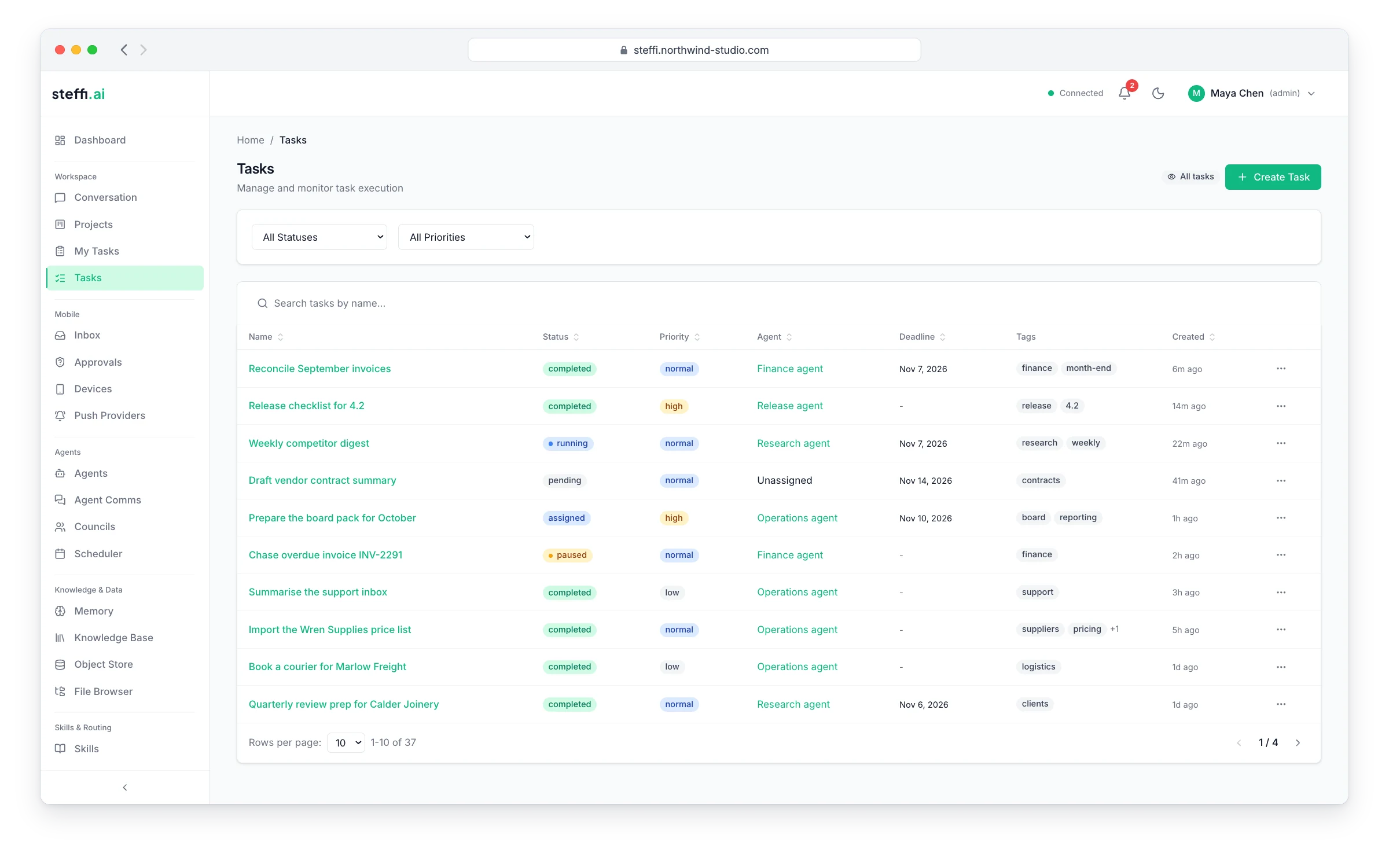
The dashboard
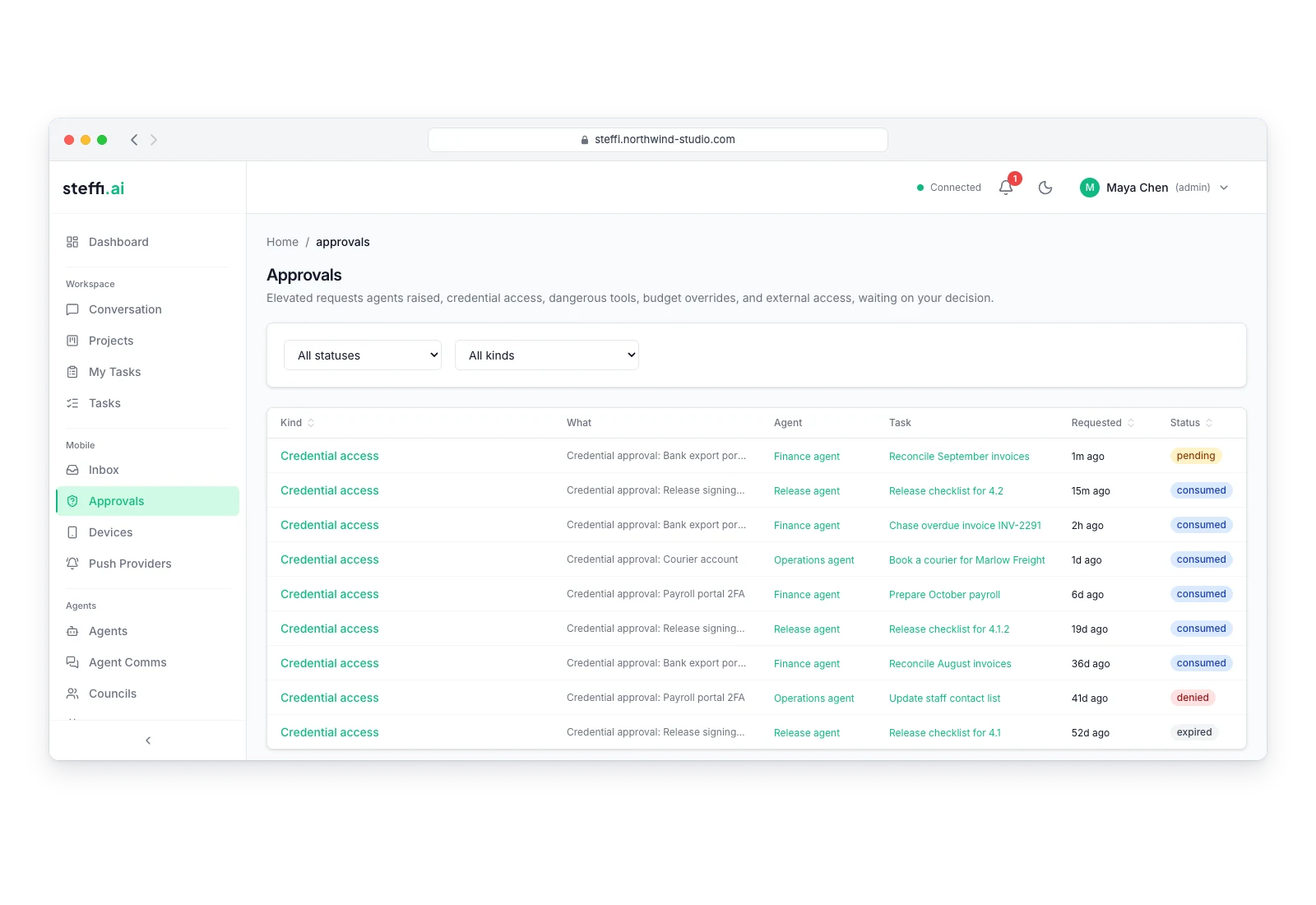
Tasks, agents, the project board, schedules, memory, skills, tools and MCP servers, credentials, approvals, files, knowledge bases, usage and the audit log. Admins manage users, teams and roles here.
Remote Steffi. Away from the office, the apps reach your Steffi over an end-to-end encrypted tunnel that nobody in between can read.
What an agent can actually do.
Every tool call passes one pipeline: permissions, input checks, rate limits, the guardrail and the audit log.
- Browse the web
- Its own Rust browser engine reads modern sites as text, clicks, types and keeps sessions.No screenshots or CAPTCHA solving. Owl Browser or Chrome can be connected instead.
- Write and run code
- Python and Node.js in locked-down containers with no network unless you allow it.
- Read files, deliver new ones
- PDFs, spreadsheets and documents in; scanned, versioned files out.
- Search what your team knows
- Document collections embedded and searched on your own machine.
- Email, Slack, texts and calls
- Several mailboxes, Slack and Mattermost, and five phone carriers.
- Your business systems
- HubSpot, Salesforce, Zendesk, Intercom, Zapier, Google Drive, webhooks and HTTP.
- Any MCP server
- Its tools are scanned, changes wait for approval, then they join routing.
- Sub-agents and councils
- Split a job across agents, or convene a council to debate a hard call.
- Shells and hardware
- Optional terminals, git, and GPIO, serial, I2C, SPI and cameras.
- Pay, within limits
- x402 payments with per-payment approvals and daily and monthly ceilings.
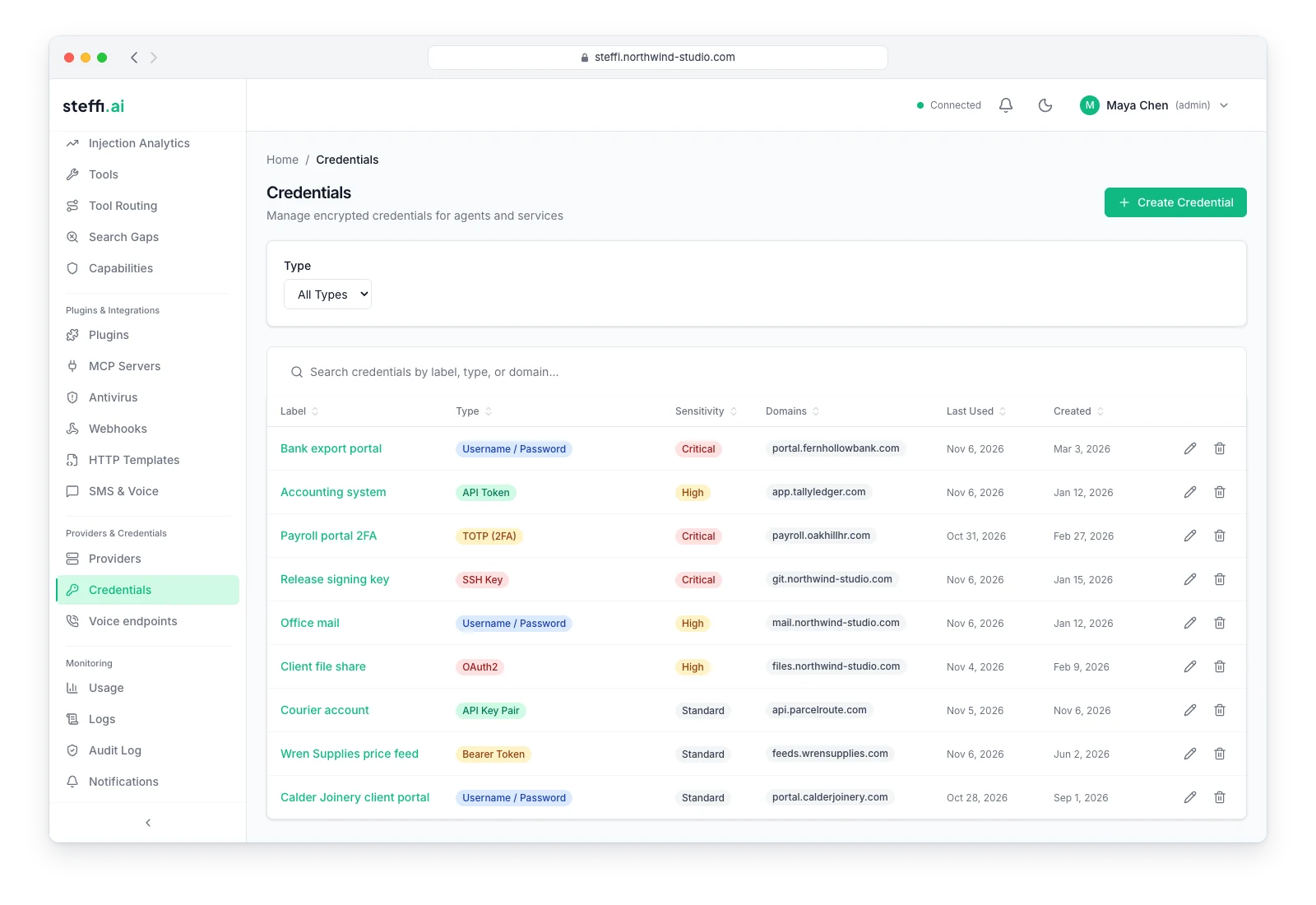
Who may do what. Which secrets. What happened, and when.
Roles and teams
Admin, Operator, Viewer and Agent, built from fine-grained permissions.
Proof it is you
Passkeys and TOTP, with a fresh check before sensitive actions.
Secrets out of prompts
AES-256-GCM vault, referenced by label, with per-use approval.
Six-layer guardrail
Scans input, tool results and output for injection, and can block.
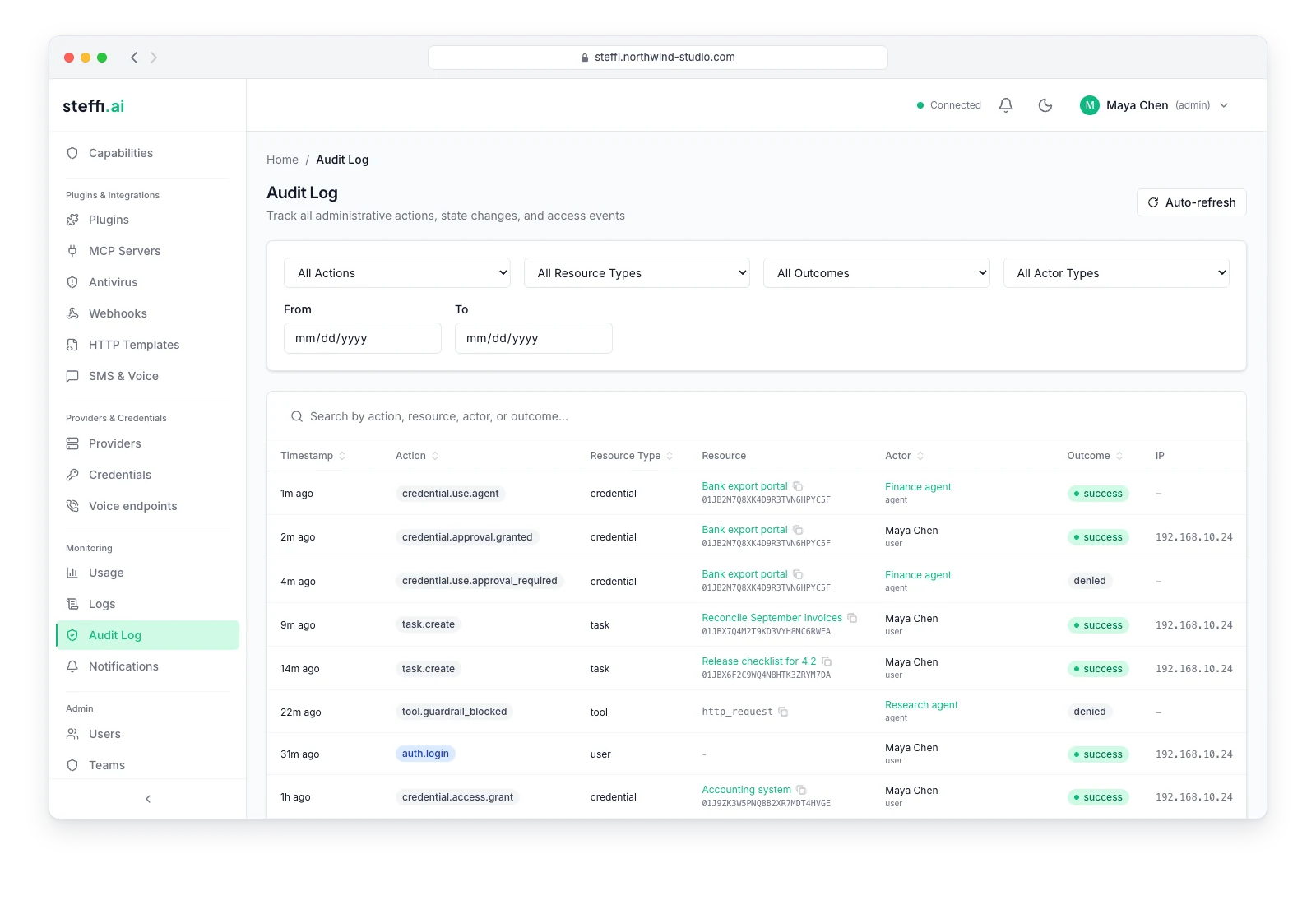
A chained audit log
Every event hashed to the one before it. Verify and export any time.
A way to stop
Budgets, rate limits, sandboxes, an egress allow-list and a kill switch.
Steffi does not hold third-party compliance certifications. Its audit trail and reports are evidence you can use toward your own. Read the security overview
Your phone and computer, on your terms.
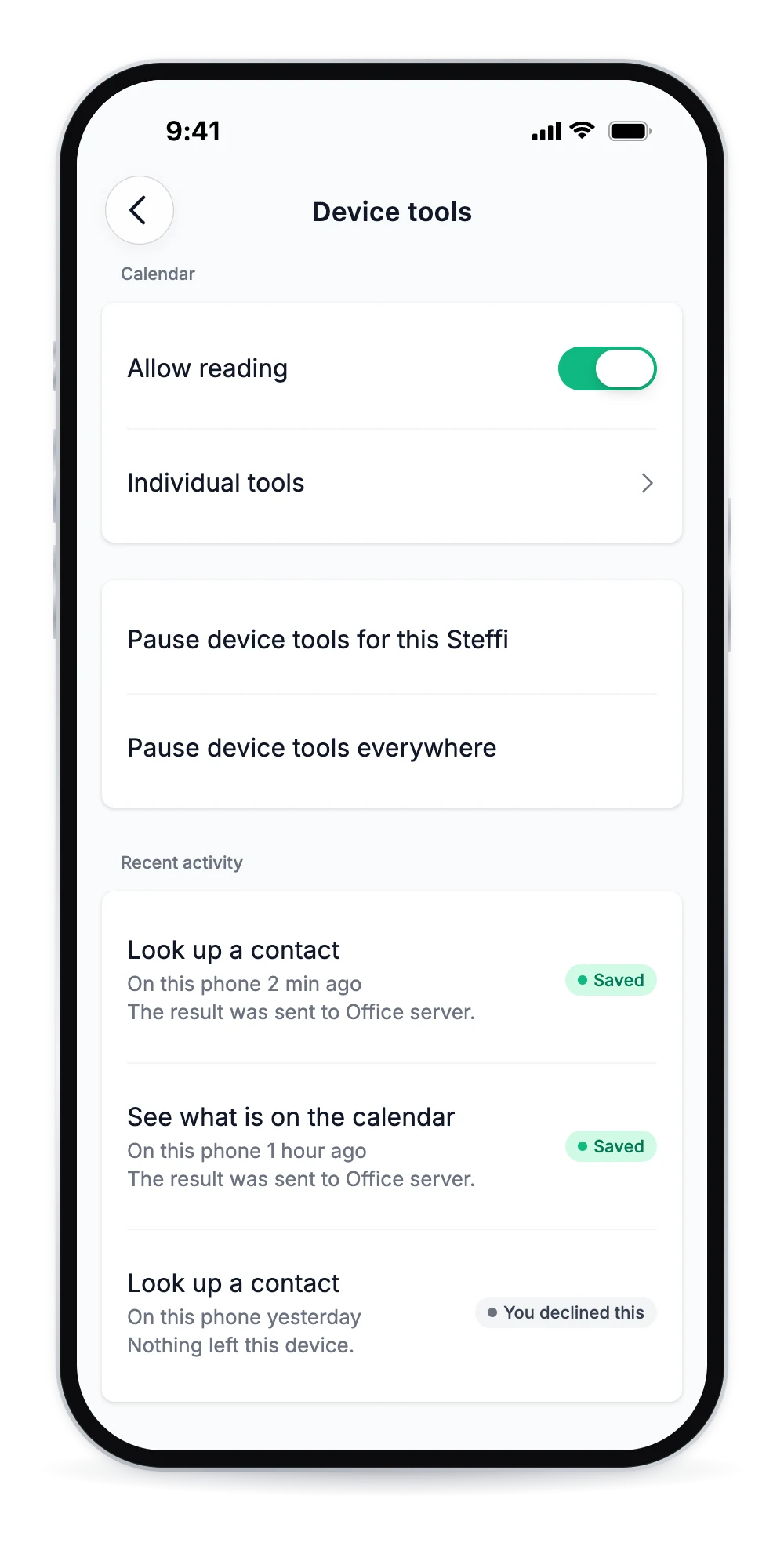
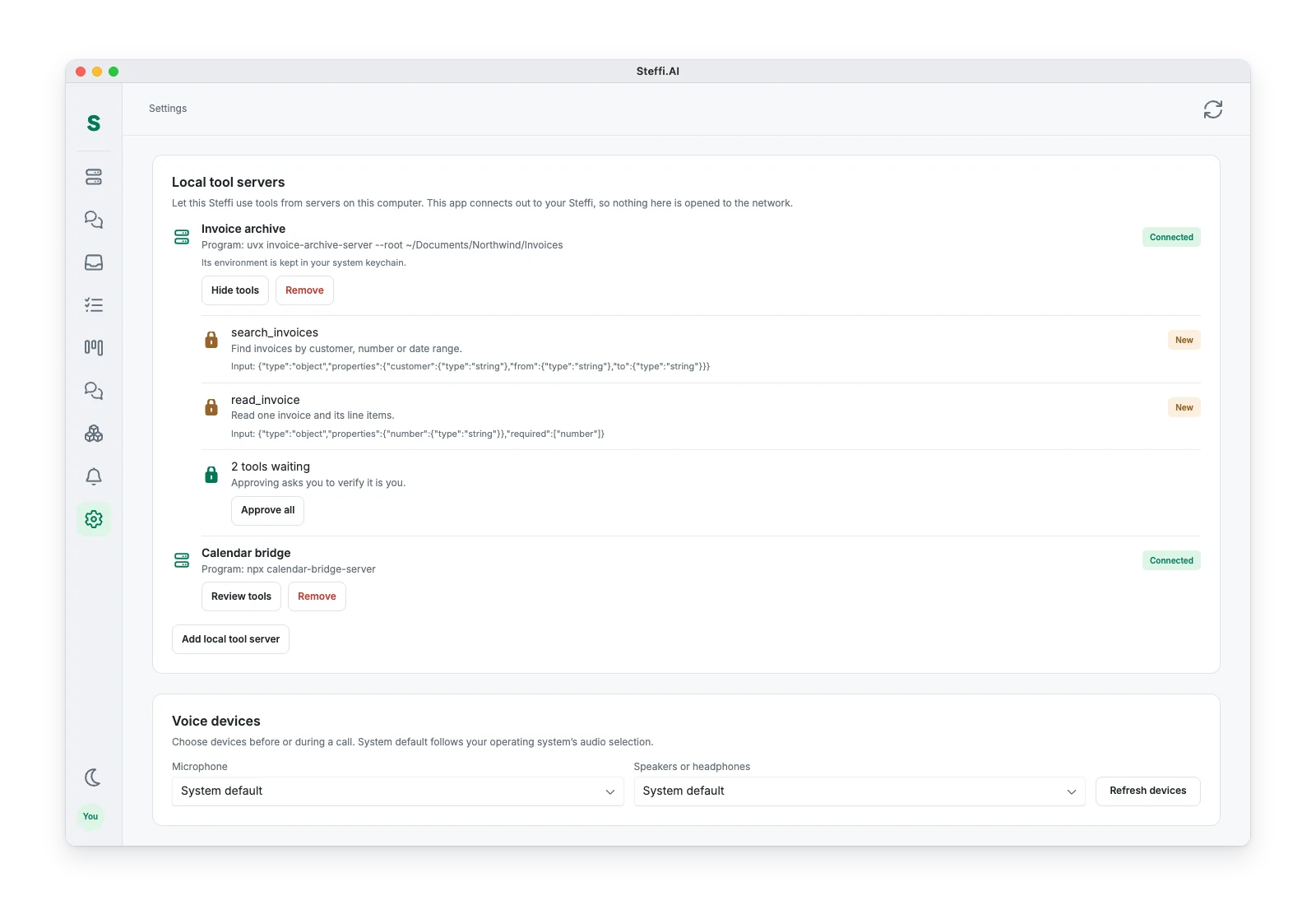
Agents can use your devices, under permissions you set on each one. Anything that changes something asks first.
- On phones
- Contacts, calendar and texts.
- On desktops
- Files in folders you share, and MCP servers on your computer with no port opened.
- Droid Control
- An Android phone that stays with the business. Agents use its apps, texts and calls, several at once, each on its own virtual display.
Hosted for you, or on your own hardware.
Hosted and managed
Every plan from the free trial to Max includes a dedicated, isolated server with the model running on it. Olib AI sets it up, hosts it, maintains it and watches it. You never share an instance with another customer.
Compare plansSelf-hosted
The whole stack runs from Docker Compose on a machine you own or control:
- The Steffi backend, one compiled Rust program
- PostgreSQL 17 with pgvector
- The dashboard, served by nginx with TLS
- A shell-runner container and a push server
- llminfra, serving your language, speech-to-text and text-to-speech models, asleep while idle
Prometheus metrics, health checks and PostgreSQL backup and restore are built in. A licence is a signed file checked offline plus a lease renewed online; a feature outside your licence is refused for new work and never stops work already running.
What Steffi does not do.
So you can plan around it, not discover it.
- Olib AI does not make or sell hardware. Steffi runs on your own machine or on a dedicated server we host.
- The built-in browser takes no screenshots and solves no CAPTCHAs.
- The OCR helpers prepare pages for a vision model. They are not an OCR engine.
- Device tools cover contacts, calendar, texts and shared folders, not arbitrary control of your phone or computer.
- Steffi does not hold third-party compliance certifications.
Pay by the hour, or by the seat.
Free Trial, Lite, Pro, and Max include a dedicated, isolated cloud server instance for your agent. We provision, host, maintain, and monitor it for you. The self-hosting option is separate and lets you deploy Steffi on infrastructure that you own or control. Contact us for self-hosting pricing.
Hosted and managed by us
Trial, Lite, Pro, Max
Your plan includes a dedicated, isolated cloud server instance for your agent. We handle setup, hosting, maintenance, and monitoring.
Self-hosting option
Contact us
You provide and control the server infrastructure. Deploy Steffi on your own system, private cloud, or VPC. Contact us for pricing.
Pro
Most popularHosted and managed by us
For teams running complex, multi-agent automated pipelines. Your agents run on a dedicated, isolated server instance that we host and manage for you.
Rent Pro agent- Deployment model
- Dedicated, isolated cloud server hosted and managed by us
- Operator seats
- Up to 5 seats
- AI execution model
- 120B to 150B parameters (like DeepSeek V4 Flash)
Included capabilities
- Dedicated, isolated server instance included
- Server setup, hosting, maintenance, and monitoring managed by us
- Includes everything in Lite
- Complex web automation
- Multi-agent orchestration councils
- Priority email and chat support
Example tasks
- Multi-agent database reconciliation: run parallel agents to check Salesforce against QuickBooks and highlight mismatches
- Automated customer ticket triage: read Zendesk history via memory, query internal API scripts, and draft detailed replies
- Scheduled contract ingestion: monitor Google Drive folders, run OCR on scanned PDFs, and extract critical terms
Steffi will be available soon. Connect with us to get early access, inquire about custom plans, or request self-hosting pricing. Pre-paid credits are valid for one year. Monthly seats include 720 runtime hours, which are equivalent to running one agent continuously for 30 days.
Steffi is in private beta.
Tell us what you want to hand off. We will help you start on a hosted plan, or talk through running Steffi on your own hardware.
A server of your own
Hosted plans include a dedicated, isolated instance with the model running on it.
Talk to the people who build it
Walk through your workflows with the engineers behind the platform and the apps.
Self-hosting
Ask about running the full stack on infrastructure you own or control.
Prefer email? Reach us at support@olib.ai